+1 (216) 400-5753
 521 Valcour Rd, Catonsville, MD 21228, US

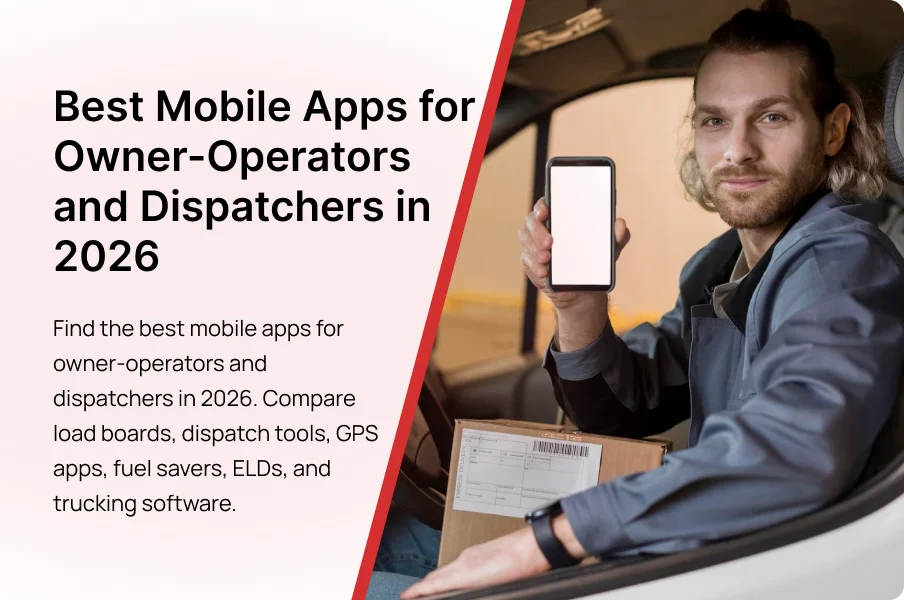
Running a trucking business today means juggling loads, routes, fuel costs, paperwork, compliance, and driver communication, all while keeping trucks moving. Many owner-operators and dispatchers waste valuable time switching between disconnected tools, creating delays, missed opportunities, and unnecessary expenses.
The pressure grows as freight markets become more competitive and operational margins become tighter. The right mobile apps change that equation.
This guide covers the best mobile apps for owner-operators and dispatchers in 2026, helping you streamline operations, reduce costs, stay compliant, and make smarter decisions from anywhere.
Why Mobile Apps Matter in Modern Trucking Operations
Technology has changed trucking in 10 years more than in the previous 30.
A driver can do 8 core tasks without opening a laptop:
- Search for loads
- Check lane rates
- Plan truck-safe routes
- Track Hours of Service
- Find parking and fuel
- Scan and submit paperwork
- Track expenses
- Review profit per trip
That access improves decision speed and reduces bottlenecks.
Benefits for Owner-Operators
Owner-operators manage multiple roles:
- Driver
- Dispatcher
- Accountant
- Compliance manager
- Customer support
Every responsibility competes for time.
Apps reduce that burden by automating repetitive work and centralizing critical tasks. A load board reduces phone calls. An accounting tool organizes expenses. A fuel app helps plan stops based on price and route.
The result:
- More driving time
- Less admin work
- Cleaner records for compliance and tax reporting
Profit decisions also improve when tracking becomes consistent. Cost per mile, fuel percentage, and deadhead rate become easier to monitor when tools collect data daily.
Benefits for Dispatchers
Dispatching revolves around coordination:
- Loads must be covered
- Drivers must stay informed
- Customers expect visibility
- Delays require quick action
Mobile dispatch tools provide a centralized view of trucks, load status, ETAs, and messages. Information moves faster, and updates reach drivers in one workflow instead of scattered texts, calls, and screenshots.
Visibility becomes an operational advantage when status updates and documents stay organized and searchable.
How Mobile Apps Improve Profitability, Efficiency, and Compliance
Most operations focus on 3 outcomes:
- Revenue
- Efficiency
- Compliance
Mobile apps support all three:
- Load boards increase access to freight
- Fuel apps reduce operating cost per mile
- Dispatch tools improve truck utilization
- Accounting tools reveal expense leaks
- ELD apps reduce logbook risk and inspection friction
Small gains compound across trips:
- $10–$30 saved per fuel stop
- 5%–10% deadhead reduction from better load matching
- 30–60 minutes saved per week by digitizing paperwork
- Fewer compliance errors from consistent logging and record storage
The strongest operations use a tech stack where every tool has a clear job.
How We Evaluated These App Categories
Not every trucking app earns a place in daily operations. Many platforms look good in an app store but fail in week 2 because they create extra steps.
Selection should follow 4 criteria:
1) Functionality
Each app must solve a real operational problem: finding loads, avoiding restricted routes, logging HOS correctly, tracking expenses, or submitting documents fast.
2) Ease of use
Drivers and dispatchers need clean navigation, fast loading, and simple workflows. Important info should be reachable in 2–3 taps, not buried in menus.
3) Pricing vs measurable value
Cost matters, but measurable value matters more. A tool becomes worth it when it saves time, reduces errors, reduces deadhead, or improves cash flow.
4) Integration with workflows
Disconnected tools create duplicate work. A useful stack reduces repeated data entry and keeps documents consistent across dispatch, accounting, and compliance.
Best Load Board Apps for Finding Freight
Revenue starts with freight. Load boards connect carriers with brokers and shippers, helping reduce deadhead miles and improve utilization.
DAT One
DAT One provides access to a large inventory of freight opportunities across equipment types.
Key features:
- Load searching
- Lane-rate insights
- Broker information tools
- Mobile workflow access
- Market trend visibility
Truckstop
Truckstop focuses on freight search and broker-related tools.
Key features:
- Real-time load searches
- Rate analysis tools
- Broker evaluation tools
- Alerts and saved searches
TruckSmarter
TruckSmarter combines freight access with business tools inside one system.
Key features:
- Load searching
- Fuel tools
- Business tracking features
- Mobile-first workflows
Choosing the Right Load Board
Load board choice depends on:
- Equipment type (dry van, reefer, flatbed, power-only)
- Lane strategy (regional vs OTR)
- Priority (rate intelligence vs broker tools vs booking speed)
Many operators use 2 load boards to expand visibility and reduce dependency on one marketplace.
The goal is not the most loads. The goal is the most profitable loads.
Best Dispatch Management Apps
Dispatching controls:
- Loads
- Drivers
- Schedules
- Documents
- Customer updates
The right dispatch app centralizes workflows so dispatchers stop chasing status updates and start managing operations.
Truckbase
Truckbase supports small and mid-sized fleets with dispatch and visibility workflows.
Key features:
- Load assignment
- Driver communication
- Shipment tracking
- Customer visibility portal
- Dispatch workflow management
Super Dispatch
Super Dispatch is widely used for vehicle transport workflows and supports digital inspections and documentation.
Key features:
- Electronic bills of lading
- Digital vehicle inspections
- GPS tracking
- Dispatch workflows
- Customer visibility tools
TruckLogics Dispatch Tools
TruckLogics combines dispatch with billing and reporting inside one platform.
Key features:
- Load scheduling
- Driver assignments
- Trip management
- Customer billing
- Settlement processing
Dispatch Features That Matter
A dispatch tool should reduce workload, not add admin tasks.
4 essentials:
- Load assignment
- Driver communication
- Shipment visibility
- Workflow automation
Best Route Planning and Navigation Apps
Navigation mistakes create direct costs: detours, restricted road violations, low-clearance risk, and wasted time.
Truck-specific routing tools account for:
- Vehicle height and weight
- Road restrictions
- Hazmat constraints
- Low bridges and tunnels
Trucker Path
Trucker Path supports routing plus operational data like parking and weigh station updates.
Key features:
- Truck parking locator
- Route planning
- Weigh station information
- Fuel stop data
- Driver-generated updates
CoPilot Truck GPS
CoPilot focuses on truck-safe routing with dimension-based planning.
Key features:
- Low-clearance avoidance
- Commercial routing
- Offline navigation
- Route customization
- Trip planning tools
Sygic Truck GPS
Sygic offers truck routing plus alerts and route forecasting.
Key features:
- Weight restriction routing
- Tunnel restriction alerts
- Speed limit notifications
- Toll road planning
- Route forecasting
Best Fuel Optimization Apps
Fuel is a major variable expense. A few cents per gallon becomes meaningful across hundreds of fills.
Fuel apps help with:
- Price comparison
- Discount access
- Route-based stop planning
- Payment workflows
Mudflap
Mudflap provides diesel discounts at participating locations using a mobile workflow.
Key features:
- Discount access at partner stops
- Mobile payments
- Transparent displayed pricing
- Route-based fuel planning
- Simple setup
GasBuddy
GasBuddy supports price comparison across nearby stations.
Key features:
- Fuel price tracking
- Nearby station searches
- Route-based comparisons
- Community price reporting
- Trip planning support
Pilot Flying J
Pilot’s app combines fueling tools with rewards and trip services.
Key features:
- Loyalty rewards
- Mobile fueling
- Reserved parking tools
- Shower reservations
- Location services
Love’s Connect
Love’s app supports fueling and rewards workflows inside the Love’s network.
Key features:
- Fuel purchasing
- Rewards tracking
- Service center access
- Parking info
- Trip tools
A Simple Fuel Strategy (3 rules)
- Plan stops before the tank becomes critical.
- Compare prices along the route, not only at the next exit.
- Combine discounts with loyalty programs when possible.
Best ELD and Compliance Apps
Compliance problems usually happen when records become hard to manage. Compliance apps centralize:
- HOS logs
- DVIRs
- Inspection readiness
- Record retention
Motive
Motive combines ELD with broader fleet and safety visibility.
Key features:
- Electronic logging
- HOS tracking
- Safety monitoring tools
- Vehicle diagnostics
- Fleet visibility
Samsara
Samsara emphasizes telematics and operational analytics tool alongside compliance.
Key features:
- ELD compliance
- Fleet tracking
- Dash camera integrations
- Safety analytics
- Vehicle monitoring
Garmin eLog
Garmin eLog supports streamlined electronic logging workflows.
Key features:
- HOS tracking
- Compliant e-logging
- Mobile access
- Simple reporting
- Minimal learning curve
Compliance Features to Check
- Clear HOS monitoring
- Simple log edits and exports
- DVIR management
- Organized record retention
- Audit-ready document access
Best Accounting and Expense Management Apps
Gross revenue is not profitability. Profit depends on fuel, insurance, repairs, permits, tolls, and downtime.
Accounting apps help track:
- Cost per mile
- Profit per load
- Deadhead percentage
- Fuel cost percentage
- Expense categories by week/month
TruckLogics Accounting
TruckLogics supports trucking-specific accounting and reporting workflows.
Key features:
- Expense tracking
- Invoicing
- Settlement management
- Fuel reporting
- Revenue analysis
QuickBooks
QuickBooks supports general accounting, invoicing, reporting, and tax prep workflows.
Key features:
- Profit and loss reporting
- Bank integrations
- Invoice management
- Expense categorization
- Payroll support
Expensify
Expensify focuses on receipt capture and expense workflows.
Key features:
- Receipt scanning
- Expense categorization
- Automated workflows
- Cloud storage
- Reimbursement tracking
Best Document and Workflow Management Apps
Paperwork controls cash flow. A delivered load gets paid faster when documents get submitted faster.
Document apps help with:
- BOL scanning
- POD submission
- Receipt storage
- Searchable records
CamScanner
Key features:
- Receipt storage
- BOL scanning
- POD capture
- PDF export
- Cloud organization
Adobe Scan
Key features:
- Boundary detection
- OCR scanning
- PDF generation
- Cloud sync
- Searchable documents
Transflo Mobile+
Transflo supports trucking document workflows designed for freight paperwork.
Key features:
- BOL submission
- POD transmission
- Freight doc organization
- Settlement support
- Workflow automation
Best Safety, Weather, and Roadside Assistance Apps
Disruptions happen: storms, high winds, breakdowns, and delays.
Weather Channel
Key features:
- Hourly forecasts
- Storm alerts
- Radar monitoring
- Route weather visibility
- Travel planning tools
Windy
Key features:
- Wind-focused forecasting
- Visual weather maps
- Regional wind analysis
- Planning support
- Storm pattern visibility
NOAA Weather Radar
Key features:
- Radar access
- Storm tracking
- Weather alerts
- Forecast visibility
- Route monitoring
TruckDown
Key features:
- Repair facility search
- Towing assistance listings
- Maintenance provider info
- Service location support
- Emergency access
Roadside Masters
Key features:
- Tire support
- Mechanical assistance
- Jump starts
- Fuel delivery
- Emergency services
Best Weight and Scale Apps
Weight compliance affects fines, delays, and equipment stress.
CAT Scale
Key features:
- Digital scale tickets
- Faster weigh workflow
- Electronic record storage
- Reweigh management
- Mobile access
Weigh My Truck
Key features:
- In-cab weighing workflows
- Electronic scale tickets
- Digital recordkeeping
- Reweigh support
- Faster processing
Building the Ideal App Stack
No single app solves every problem. Build a stack where each tool has one clear job.
Starter Stack for New Owner-Operators (5 apps)
- 1 load board
- 1 truck navigation app
- 1 fuel tool
- 1 ELD/compliance app
- 1 document scanning app
Stack for Drivers With Their Own Authority (7 apps)
- 2 load boards
- 1 navigation tool
- 1 fuel tool
- 1 ELD app
- 1 accounting tool
- 1 document workflow tool
Stack for Small Fleets (6–8 apps)
- Dispatch system
- Compliance/telematics
- Load sourcing tools
- Accounting system
- Document workflow tool
- Scale tools
Integration matters more as truck count increases.
Common Mistakes When Choosing Trucking Apps
Paying for unused features
Buy tools that solve current operational problems. Avoid subscriptions built around “maybe later” features.
Using overlapping tools
Multiple navigation apps, multiple scanners, multiple dispatch workflows create fragmentation. Keep one primary tool per category.
Ignoring integration
Disconnected tools increase data entry and document errors. A good stack reduces duplicate work.
Treating compliance as secondary
Compliance apps should support inspections, exports, retention, and daily log workflows without friction.
Final Thoughts
Technology does not replace business judgment. It reduces friction.
The objective is not to collect the most apps. The objective is to build a stack that supports:
- profitable load selection
- reduced operating cost per mile
- fast paperwork submission
- organized compliance records
- clean financial tracking
Choose tools that solve real problems. Remove tools that create extra complexity. Build workflows that save time every week.